

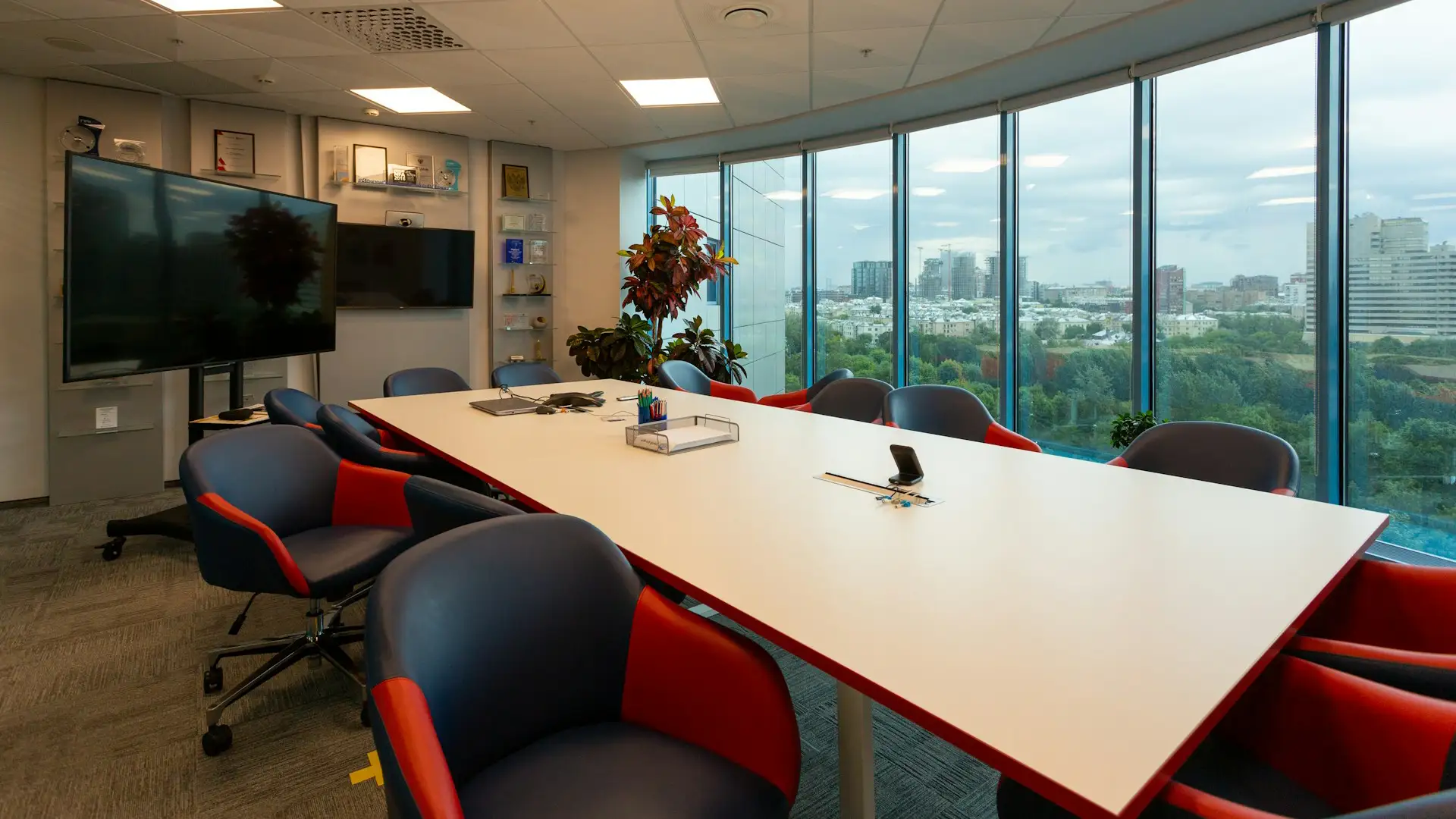
Your conference room drives decisions, refines strategies, builds partnerships, and strengthens your organization’s culture. In today’s hybrid workforce, the conference room setup must do more than look professional. It must seamlessly connect in-room participants with remote attendees, deliver flawless audio and video, and remove technical friction from every meeting.
This guide walks through what makes an effective conference room setup, how to choose the right video conferencing hardware, and how to create flexible hybrid meeting solutions that evolve with your business.
Why the Modern Conference Room Setup Matters
An effective conference room setup directly impacts productivity, communication quality, and decision-making speed. Many organizations underestimate the cumulative time lost each week due to technical issues such as failed audio connections, screen-sharing delays, or difficulty joining meetings.
Today’s workplaces demand hybrid meeting solutions that enable seamless collaboration, whether your team is in the room or across the globe. When your video conferencing hardware automatically adjusts to speakers and delivers crystal-clear sound, meetings feel natural rather than forced.
When conferencing technology, including VoIP, automatically adapts to speakers and meeting activity, conversations feel more natural and productive rather than technically constrained.
5 Common Problems in a Conference Room Setup (And Why They Keep Slowing Teams Down)
A poorly designed conference room setup costs more than money. It wastes time, damages credibility, and drains energy before the meeting even begins. These challenges are often linked to how digital office equipment is selected, installed, and maintained across collaboration spaces.
Let’s take a look at the most common problems in conference room setup environments:
- Mismatched video conferencing hardware: Pairing high-end displays with entry-level cameras or weak microphones creates an imbalance. When video conferencing hardware isn’t properly aligned, remote participants experience poor video quality, limited framing, and inconsistent audio.
- Poor audio coverage and room acoustics: Echo, reverb, HVAC noise, and uneven mic placement make conversations hard to follow. Even strong video conferencing hardware can’t fix untreated acoustics, leaving hybrid meeting solutions feeling disjointed.
- Connectivity system failures: Cable clutter, unreliable Wi-Fi, and dropped screen shares create constant friction. Without a stable wireless presentation system, meetings start late and collaboration stalls.
- Overcomplicated user experience: Too many remotes, inconsistent touch panels, or unclear startup steps discourage adoption. Even advanced video conferencing hardware becomes underutilized if the conference room setup feels intimidating or difficult to operate.
- Room size and technology mismatch: Using entry-level video conferencing hardware in large boardrooms often leads to poor camera framing and weak audio pickup. At the same time, installing overly complex systems in small huddle rooms increases cost and creates unnecessary operational confusion.
Transform Your Conference Room & Empower Hybrid Work with Proven IT
Customize your space with high-quality video conferencing hardware, seamless wireless presentation system integration, and flexible hybrid meeting solutions designed around your room size and collaboration needs.
The Core Components of a Modern Conference Room Setup
A professional conference room setup is an ecosystem. It combines physical layout, video conferencing hardware, collaboration tools, infrastructure, and management systems into one seamless experience. Let’s break it down properly below:
Display & Visual Output Systems
Display and visual output systems are responsible for presenting meeting content and participant feeds in a clear, professional format. The display functions as the primary viewing surface for presentations, video calls, and shared collaboration materials. Proper visual output ensures information is easy to read and visually comfortable for everyone in the room.
Key elements to consider include:
- Commercial-grade displays (75”, 85”, or larger, depending on room size)
- Dual-screen configurations (one for participants, one for shared content)
- 4K resolution for crisp content and video clarity
- Anti-glare coatings for rooms with natural light
- Proper mounting height and viewing angle alignment
Video Conferencing Hardware (Cameras & Compute)
Video conferencing hardware powers the communication engine of the conference room setup by capturing audio and video, processing data, and transmitting meeting signals to remote participants.
This category includes:
- All-in-one video bars
- PTZ (pan-tilt-zoom) cameras for larger rooms
- Multi-camera systems for boardrooms
- Dedicated compute units (Android-based or Windows-based)
- Integrated touch control panels
Note: Some modern video conferencing hardware uses AI-powered auto-framing and speaker tracking to detect speakers and adjust camera focus automatically without manual control.
Audio Systems (Microphones & Speakers)
Audio quality matters more than video quality in most conference room setups. If participants can’t hear clearly, productivity collapses. A professional-grade conference room setup should include:
- Beamforming microphones
- Ceiling microphone arrays
- Table microphones (for smaller rooms)
- Echo cancellation technology
- Distributed speakers for even sound coverage
Insight: Advanced video conferencing hardware often includes AI noise suppression that filters out HVAC noise, typing, and side conversations to improve clarity in hybrid meetings.
Wireless Presentation System & Content Sharing
Content sharing should be fast, simple, and reliable so meetings can move forward without technical interruptions. A modern conference room setup benefits from a dependable wireless presentation system that removes the need for cables, adapters, or manual configuration.
This category includes:
- Screen-sharing receivers
- Wireless presentation pods
- Miracast, AirPlay, and Google Cast compatibility
- 4K content streaming capability
- On-screen annotation tools
Room Control & User Interface
Even advanced video conferencing hardware can feel ineffective if users struggle to use it. A well-designed conference room setup prioritizes simplicity, allowing meetings to start quickly without technical confusion or IT assistance.
This category includes:
- Touch control panels
- One-touch join interfaces
- Integrated scheduling panels outside the room
- Lighting and shade control integration
- Automated system wake/sleep functionality
Pro-Tip: One-touch join functionality is a cornerstone of effective hybrid meeting solutions. When users walk in and tap “Join,” the meeting begins instantly. No searching for links. No login confusion.
Network & Infrastructure
A reliable network foundation is essential for maintaining a stable conference room setup. Even the best video conferencing hardware and collaboration tools can experience performance issues without proper network planning and bandwidth management.
It includes:
- Dedicated VLANs for conferencing traffic
- Power over Ethernet (PoE) switches
- Hardwired connectivity (not Wi-Fi-dependent)
- Bandwidth prioritization
- Redundant power supply considerations
Take note: High-performance video conferencing hardware requires stable bandwidth to maintain 4K streams and real-time collaboration. Without proper network planning, even the best hybrid meeting solutions will experience lag, freezing, or dropped connections.
Room Acoustics & Physical Environment
Technology alone cannot fix sound problems if the physical environment is not optimized. A well-designed conference room setup must account for acoustics, lighting, and layout to ensure both in-room and remote participants communicate clearly.
- Acoustic wall panels
- Carpet or sound-dampening flooring
- Ceiling treatments
- Proper lighting (avoid backlighting participants)
- Table shape and seating layout
Reminder: Hard surfaces cause echo and reverb, negatively impacting even premium video conferencing hardware.
Security & Platform Integration
Security is a critical component of a modern conference room setup, especially for industries that handle sensitive information such as healthcare, legal services, and finance.
Strong integration and protection measures help ensure meetings remain private, compliant, and reliable. This includes:
- Secure user authentication and access control
- End-to-end encrypted video communication
- Role-based permissions management
- Device and firmware update security
- Calendar and platform integration (Teams, Zoom, etc.)

How to Design a Conference Room Setup by Room Size
Not every space requires the same level of technology. The ideal conference room setup depends on room size, acoustics, seating arrangement, and collaboration needs. Let’s explore different solutions below:
Small Conference Rooms & Huddle Spaces
Compact meeting spaces are often suited for simple collaboration tools such as the Yealink RoomCast. This supports Miracast, AirPlay, and Google Cast, allowing users to share content without cables or adapters.
RoomCast supports 4K Ultra HD multi-sharing, whiteboarding, annotation, and basic remote control functions. With 4K/60fps performance and options for PoE or DC power supply, it is designed for straightforward deployment and everyday meeting collaboration in smaller workspaces.
Mid-Sized Conference Rooms
Mid-sized rooms benefit from a balanced setup that supports performance and future scalability. The MeetingBar A40 is a commonly deployed all-in-one video bar featuring dual 48MP lenses, AI-enhanced video, and noise-free audio to support clear hybrid meetings.
Designed for Microsoft Teams and Zoom, it offers a one-cable setup and one-touch join functionality, simplifying conference room setup and reducing meeting start delays. Mid-sized spaces using this type of system can be expanded later with additional audio or camera components as collaboration needs grow.
Large Boardrooms
Large rooms require a more advanced conference room setup to accommodate broader seating and more complex meeting activities. The Yelink MVC S98 is designed for larger or ProAV-style spaces, using multi-camera smart vision technology to help capture participants clearly across the room.
These systems often use distributed microphones, PTZ or multi-camera options, and multi-display configurations to maintain stable video conferencing hardware performance. AI features such as speaker focus and adaptive framing help keep active speakers visible while supporting natural conversation flow in hybrid meeting solutions.
How Proven IT Can Help Optimize Your Conference Room Setup
Proven IT delivers conference room technology through a flexible SaaS (sales-as-a-service) model, helping organizations access reliable, enterprise-grade collaboration systems without a large upfront investment.
Instead of treating the conference room setup as a one-time purchase, it becomes a managed, scalable service supported by IT consulting and implementation guidance. What that means for your organization:
- Strategic design and standardization: We evaluate room size, workflow requirements, and collaboration goals to create a consistent conference room setup across locations.
- Hardware procurement and deployment: We help procure and install enterprise-quality cameras, microphones, displays, and wireless presentation system components.
- Ongoing support and management: We provide continuing support, including troubleshooting, updates, and lifecycle management.
- Scalability and future-proofing: We help upgrade or extend video conferencing hardware and wireless presentation system capabilities as needed.
Create Smart Spaces for Smarter Business with Proven IT
The right conference room setup eliminates frustration and builds confidence. It ensures every voice is heard and every face is seen. No more tangled wires. No more confusing controls. No more wasted minutes fixing tech before critical conversations.
If your organization is ready to create smart spaces for smarter business, Proven IT is here to evaluate your current conference room setup and build a foundation that supports your hybrid future.